
 學(xué)者網(wǎng)












Open MathType and type in LaTeX codes (press Enter to convert TeX into MathType Equation)
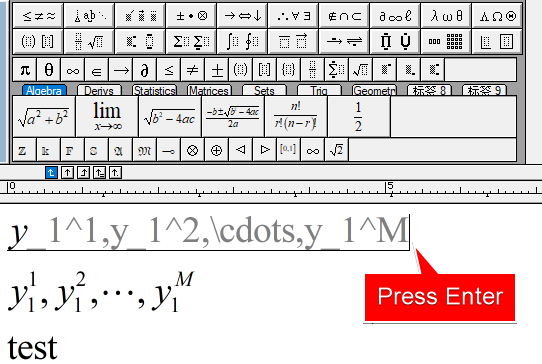
Save this MathType file as "test.EPS" format
Open Illustrator and create a new file. Use Shift+Ctrl+P to insert this test.EPS file.
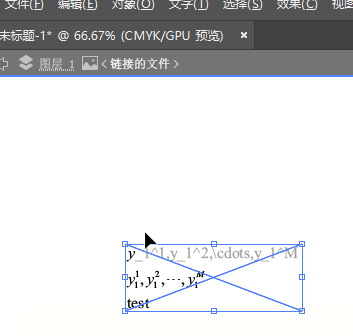
If this equation need to be updated, just use Mathtype to open test.EPS, edit it and save file. After that, the equation in Adobe Illustrator will be updated as soon as test.EPS being saved.
How to Draw Edraw Figures in Adobe Illustrator? Also use Edraw's "save as" to create an EPS and press Shift+Ctrl+P insert it. This part will be updated if we update the EPS file using Edraw's "save as" .


評(píng)論 0